Page Breaks
Open the components library, by typing / in the editor. Select the page break component.
In FlexiPage editor, page breaks are shown as dotted lines. In the print pdf, lines are replaced with page breaks.
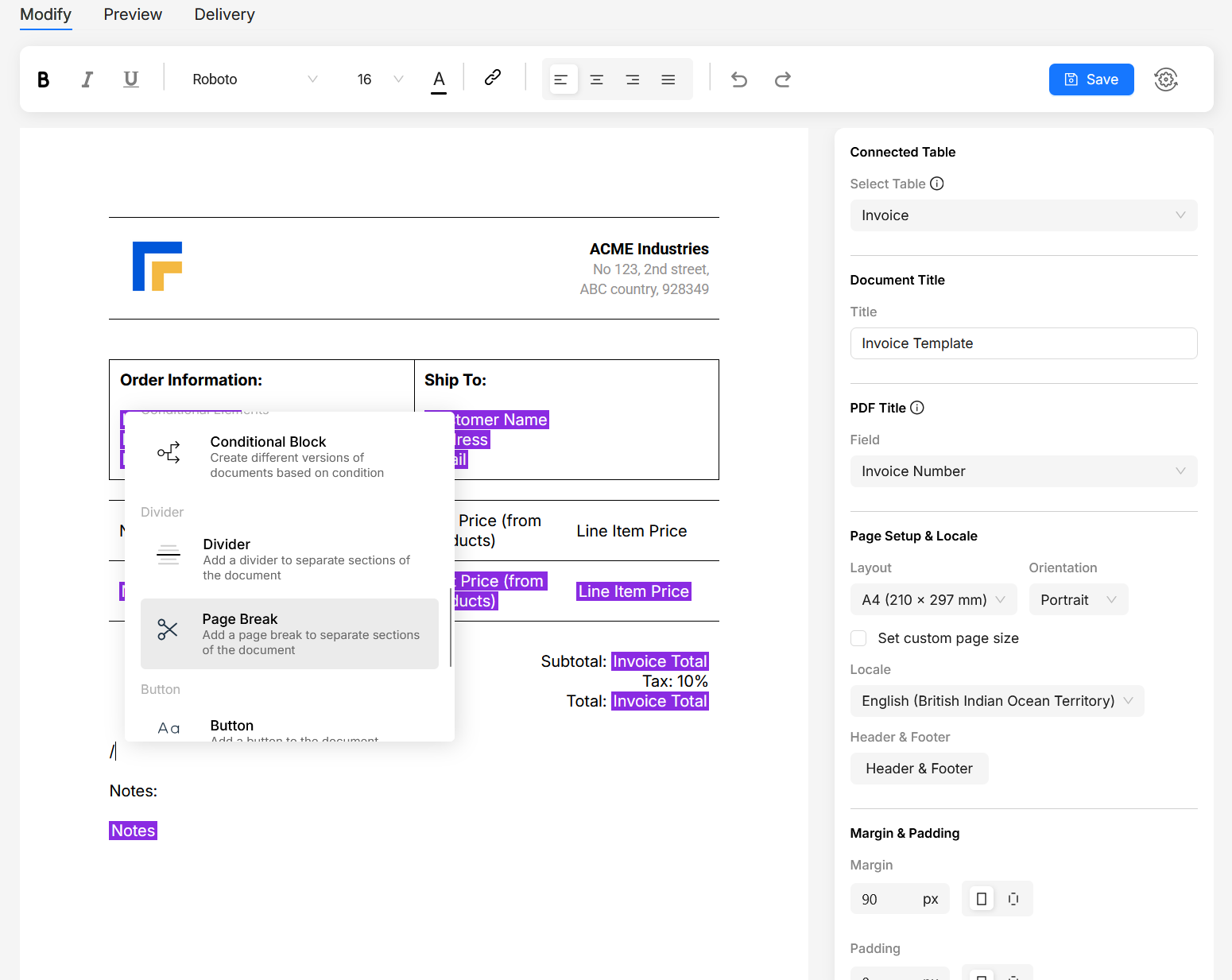
Open the components library, by typing / in the editor. Select the page break component.
In FlexiPage editor, page breaks are shown as dotted lines. In the print pdf, lines are replaced with page breaks.