Date & Number Format
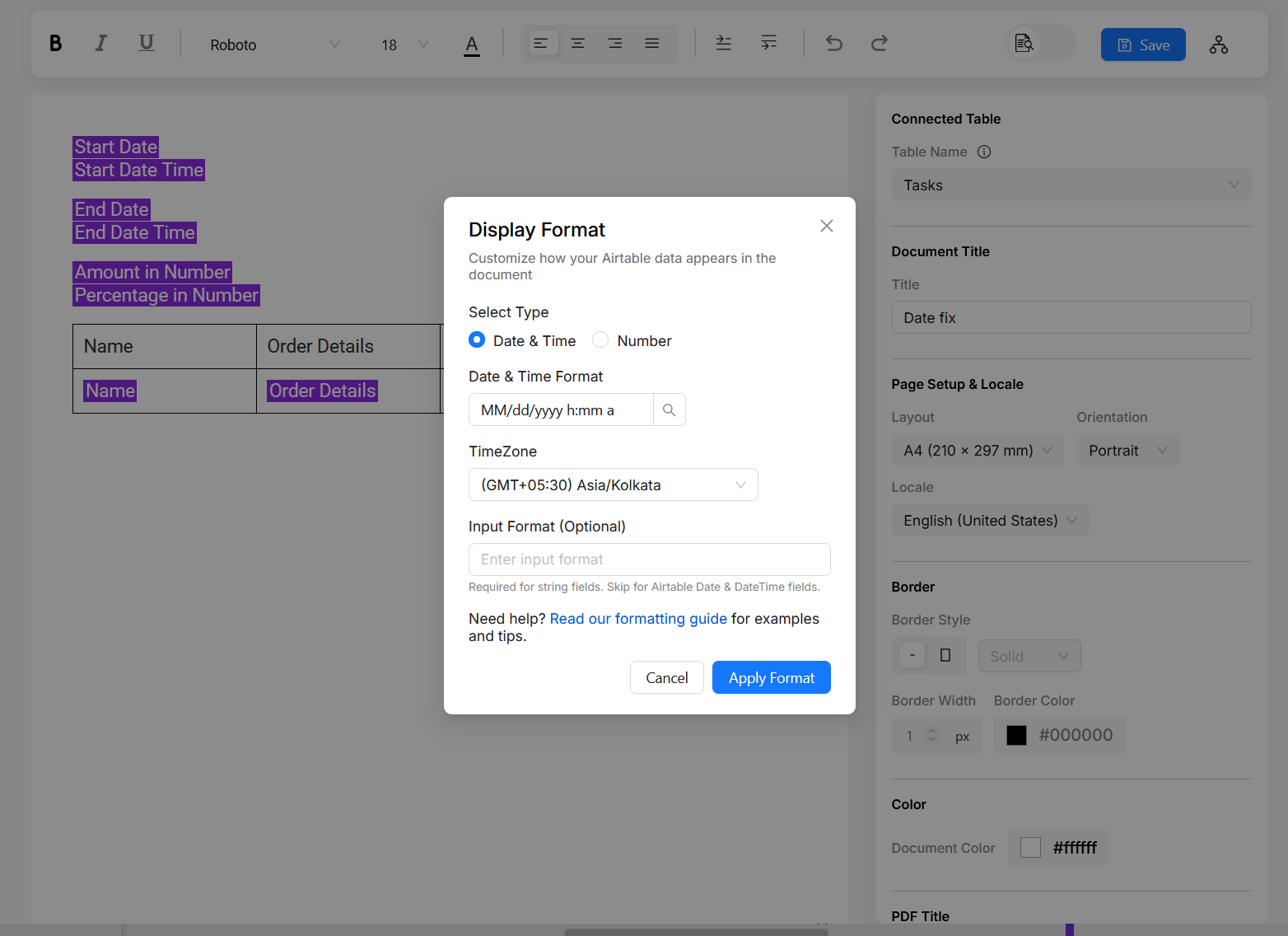
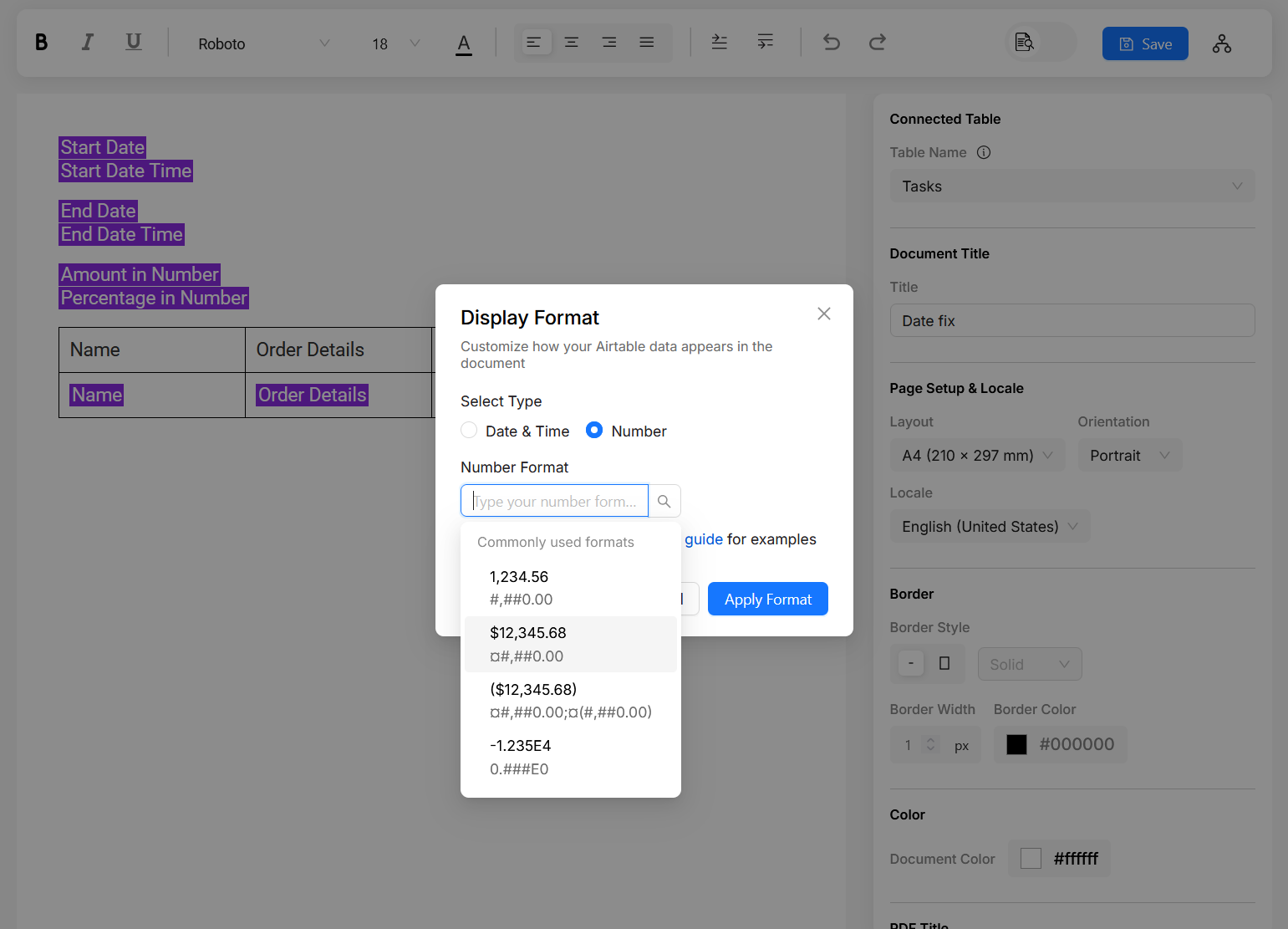
You can format date and numbers, by clicking on the fields inserted in the document editor. In the format option, we list some of the commonly used formats for date and number fields. You can also specify your own format. This doc will help you figure out some of the common date time and number syntax.
If you want date or currency to be localized, make sure to specify Locale on the right side panel. Make sure to specify TimeZone for date, as the default is UTC.
Date Format
Click on a variable you inserted (You can insert a variable by typing @). You can specify three options - Date Format,
TimeZone and InputFormat. Below you can find explanation and examples of formats.
If you have date as a string field and it is not of ISO-8601 format, you will need to specify InputFormat.
📅 Examples of commonly used formats
You can copy the syntax and paste it in the format field
| Example | Description | Pattern |
|---|---|---|
| 2025-05-31 | Full date with year, month, day | yyyy-MM-dd |
| 31 May 2025 | Day Month (full name) Year | dd MMMM yyyy |
| Sat, 31 May 2025 | Abbreviated weekday, day, month, year | EEE, dd MMM yyyy |
| Saturday, May 31, 2025 | Full weekday, full month, day, year | EEEE, MMMM d, yyyy |
| 14:05 | Hour and minutes (24-hour format) | HH:mm |
| 2:05 PM | Hour and minutes (12-hour with AM/PM) | h:mm a |
| 2025-05-31T14:05:00 | ISO-style datetime with literal 'T' | yyyy-MM-dd'T'HH:mm:ss |
| 31/05/25 | Compact date format | dd/MM/yy |
| 2025-151 | Year and day of year | yyyy-DDD |
| 2025-W22-6 | Week-based date (ISO week date) | YYYY-'W'ww-e |
| May 2025 | Month and year | MMMM yyyy |
| Saturday at 2:05 PM | Day and time with AM/PM | EEEE 'at' h:mm a |
Below you can find syntax for different date and time entities. You can combine them as per your liking, with spaces, slash, dash etc...
Year syntax
| Pattern | Description | Example |
|---|---|---|
| yyyy | 4-digit calendar year | 2025 |
| yy | 2-digit year | 25 |
| u | Year (can be negative/zero) | 2025 |
Month syntax
| Pattern | Description | Example |
|---|---|---|
| MM | 2-digit month (01–12) | 05 |
| M | 1 or 2-digit month (1–12) | 5 |
| MMM | Abbreviated month name | May |
| MMMM | Full month name | May |
| MMMMM | Narrow month name (1-letter) | M |
Week syntax
| Pattern | Description | Example |
|---|---|---|
| w | Week of year (1–53) | 22 |
| ww | Week of year, 2 digits | 22 |
| W | Week of month (1–5) | 4 |
| Y | Week-based year | 2025 |
| e | Local day of week (1–7) | 6 |
Day syntax
| Pattern | Description | Example |
|---|---|---|
| dd | 2-digit day of month (01–31) | 09 |
| d | 1 or 2-digit day of month (1–31) | 9 |
| D | Day of year (001–365/366) | 151 |
| E | Abbreviated day name (Mon, Tue, etc.) | Sat |
| EEEE | Full day name | Saturday |
| EEEEE | Narrow day name (1-letter) | S |
| e | Day of week number (1–7, locale-specific) | 6 |
| c | Standalone day of week number | 6 |
Time syntax
| Pattern | Description | Example |
|---|---|---|
| HH | Hour (00–23) | 14 |
| H | Hour (0–23) | 4 |
| hh | Hour (01–12) | 02 |
| h | Hour (1–12) | 2 |
| mm | Minutes (00–59) | 07 |
| ss | Seconds (00–59) | 09 |
| SSS | Milliseconds | 123 |
| a | AM/PM marker | PM |
TimeZone syntax
| Pattern | Description | Example |
|---|---|---|
| z | General time zone name | PDT |
| Z | RFC 822 time zone offset | -0700 |
| X | ISO 8601 time zone (e.g. Z or +05) | Z |
| XX | ISO 8601 time zone with hours and minutes | +0530 |
| XXX | ISO 8601 with colon | +05:30 |
Number Format
🔢 Number Formatting Overview
Number formatting lets you control how numbers appear — with thousands separators, decimal places, currency symbols, percentages, and more. You define how numbers are displayed using special pattern characters.
Commonly used formats
| Example Output | Pattern | Description |
|---|---|---|
| 123 | 0 | Integer without decimals |
| 00123 | 00000 | Pads with leading zeroes |
| 123.46 | 0.00 | Always two decimal places (rounded) |
| 123.4 | 0.0# | One or two decimal places |
| 1,234 | #,##0 | Thousands separator |
| 1,234.50 | #,##0.00 | Thousands + two decimals |
| $1,234.50 | $#,##0.00 | Currency format with symbol |
| (1,234.50) | #,##0.00;(#,##0.00) | Accounting style negative numbers |
| ($1,234.50) | $#,##0.00;($#,##0.00) | Accounting style negative currency |
| 75% | 0% | Percent, no decimals |
| 75.00% | 0.00% | Percent with decimals |
| 0 units | 0 'units' | Appends literal text |
| $001.20 | $000.00 | Currency with padded integer part |
| $1,234.00 | ¤#,##0.00 | Uses currency placeholder |
# — Optional digit
Displays a digit only if it exists in that position. Extra zeros are not shown.
Pattern: ###
Input: 42 → Output: 42
0 — Required digit
Always displays a digit, padding with zeros if necessary.
Pattern: 000
Input: 5 → Output: 005
. — Decimal separator
Separates the integer part from the fractional part.
Pattern: 0.00
Input: 1.5 → Output: 1.50
, — Grouping separator
Defines where digit grouping (e.g., thousands separator) should appear.
Pattern: #,##0
Input: 10000 → Output: 10,000
% — Percent symbol
Multiplies the number by 100 and appends a % sign.
Pattern: 0%
Input: 0.75 → Output: 75%
¤ — Currency symbol placeholder
Replaced with the appropriate currency symbol (based on locale).
Pattern: ¤#,##0.00
Input: 1234.5 → Output: $1,234.50
'...' — Literal text
Encloses characters that should appear exactly as written.
Pattern: 0 'kg'
Input: 5 → Output: 5 kg
; — Pattern separator
Defines separate formats for positive and negative numbers.
Pattern: +#;-#
Input: -42 → Output: -42