Static/Dynamic Image
Static Image
Creating static image is very straight-forward. Type / and select image component. Hover over image, click on upload button and upload your image. For faster document processing, upload compressed image.
Dynamic Image
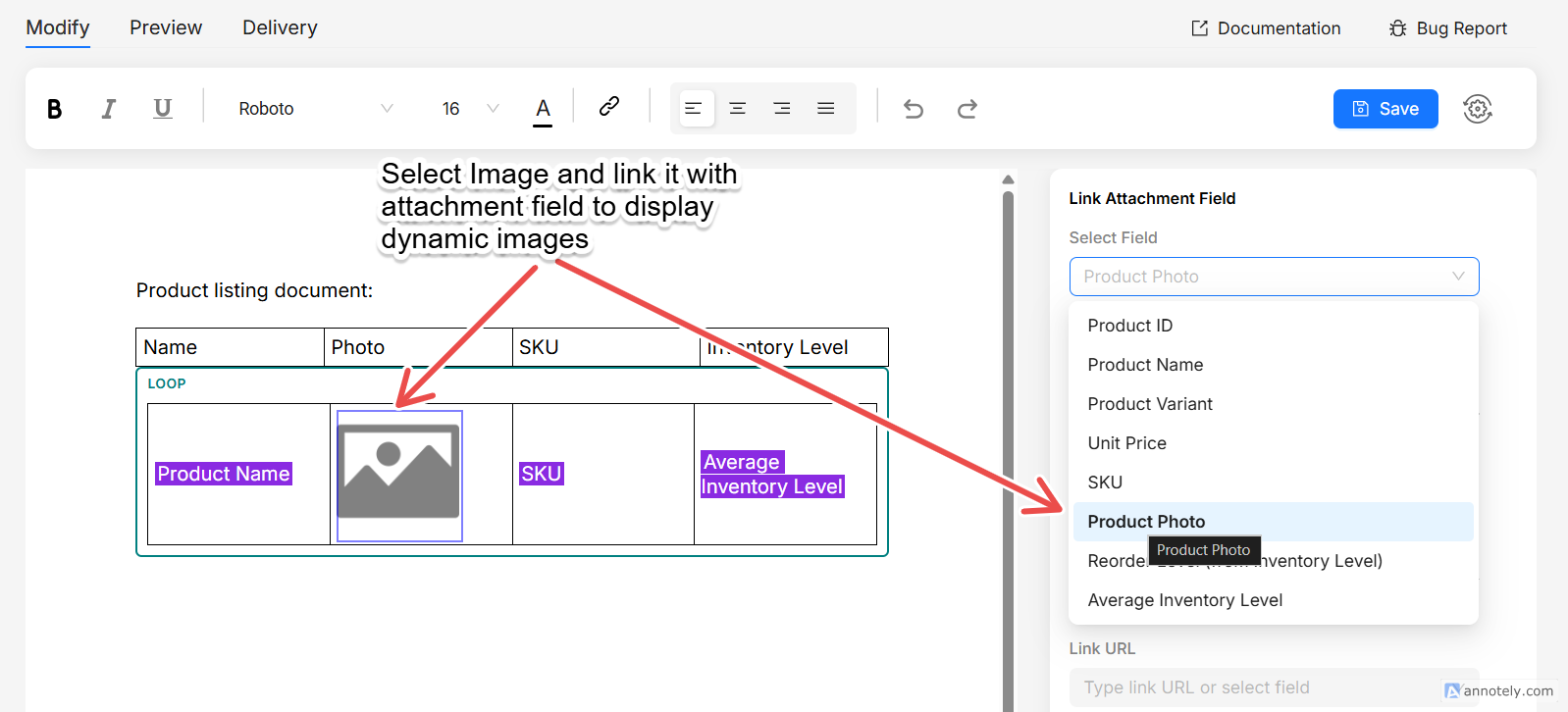
If you want to show images based on an attachment field,
- Selected the image component
- Left-click on the image and on the right side properties panel, you should see settings related to image.
- Select the attachment field, where you have stored images. Also select the image position, by default it will be 0.
- Preview the document, and you can see the image from your first record
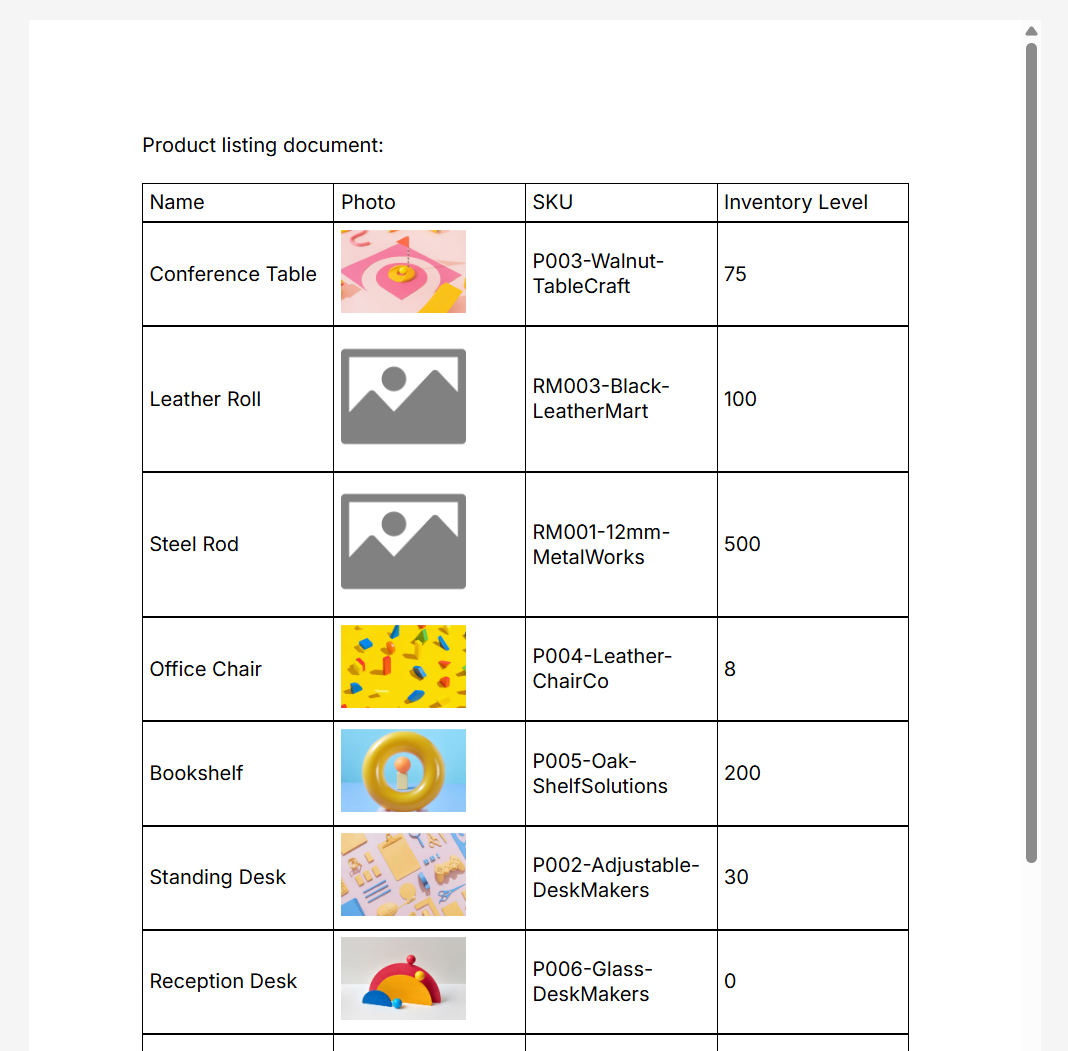
Below is an example of creating a dynamic image within a looper, to display images from a list of products.
And it's preview in the editor is shown below.