Report Automation Guide
Reports that can be automated have configurable parameters. For example, a monthly project report has start and end dates, as well as a project as configuration parameters.
We'll be creating a Project Report table with the configuration parameters as fields. Generating a report for every project then becomes a matter of adding one record per project, either yourself or through your platform's automation. In FlexiPage template, the configuration fields will be used to fetch relevant data to construct reports.
You don't need to create a report table for every type of report. A normalized table can be used for all reports. Example, you can add a single select field to specify the report type.
Set up a report table
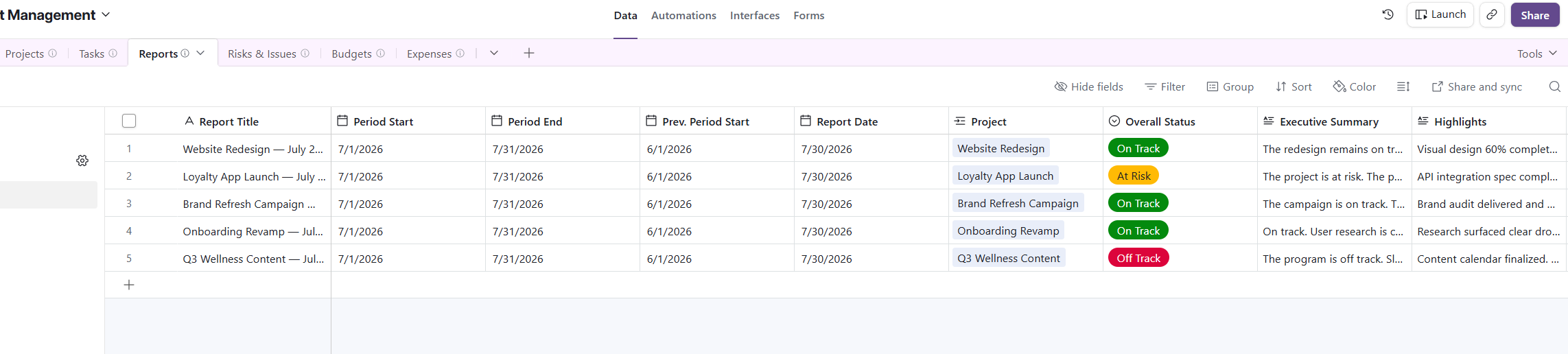
This example shows a simple report table for monthly project report. Create a table called Project Reports, where each record describes one report to generate:
Start DateandEnd Date: the period the report covers.Project: a linked record field that points to the project the report is about.
Listing relevant records
A typical project status report will contain completed milestones and a list of upcoming tasks. Note that this information will be present in a separate Task table. We'll see how to automate this.
First, create a new FlexiPage template and connect it with the Project Reports table.
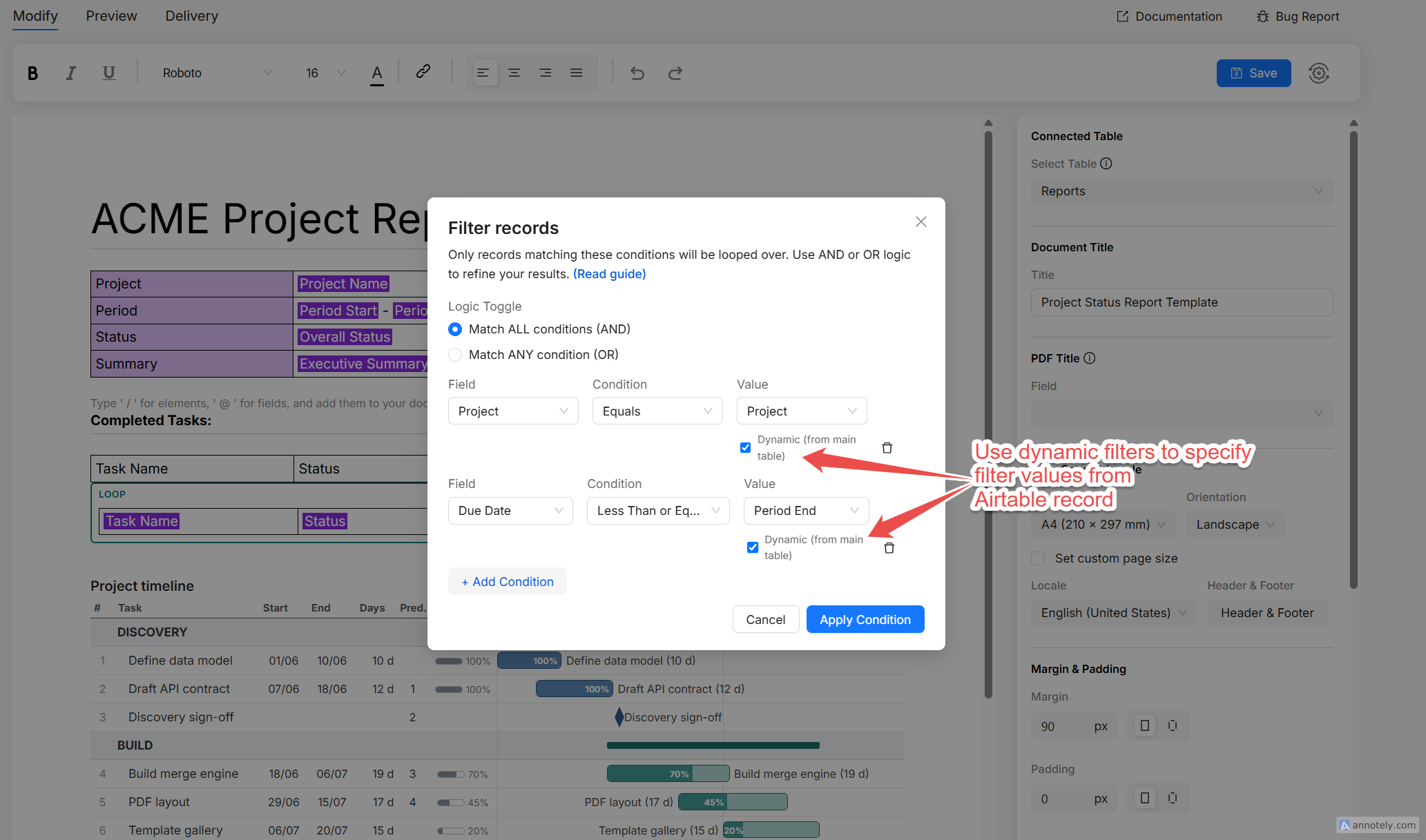
Create a looper component and connect it with the Task table. Then add filters to specify the period (task start and end dates) and the project a task must belong to. To list completed milestones, we check the Task end time is before the end date present in the Project Reports table. To list upcoming tasks, we check the Task start date is after the end date present in the Project Report table.
Adding report components
You can further add KPIs, charts, pivot tables, gantt charts and customizable charts to the report. All of them will use the same configuration parameter fields in the filter to fetch relevant data.
Setup automation
Refer to the platform specific guide for setting up the pdf generation automation (Airtable, Monday, Fibery).
If you want to automate the same report for multiple projects, you can add records to the report table for each project (can be done either manually or via native platform automation).